Step 1
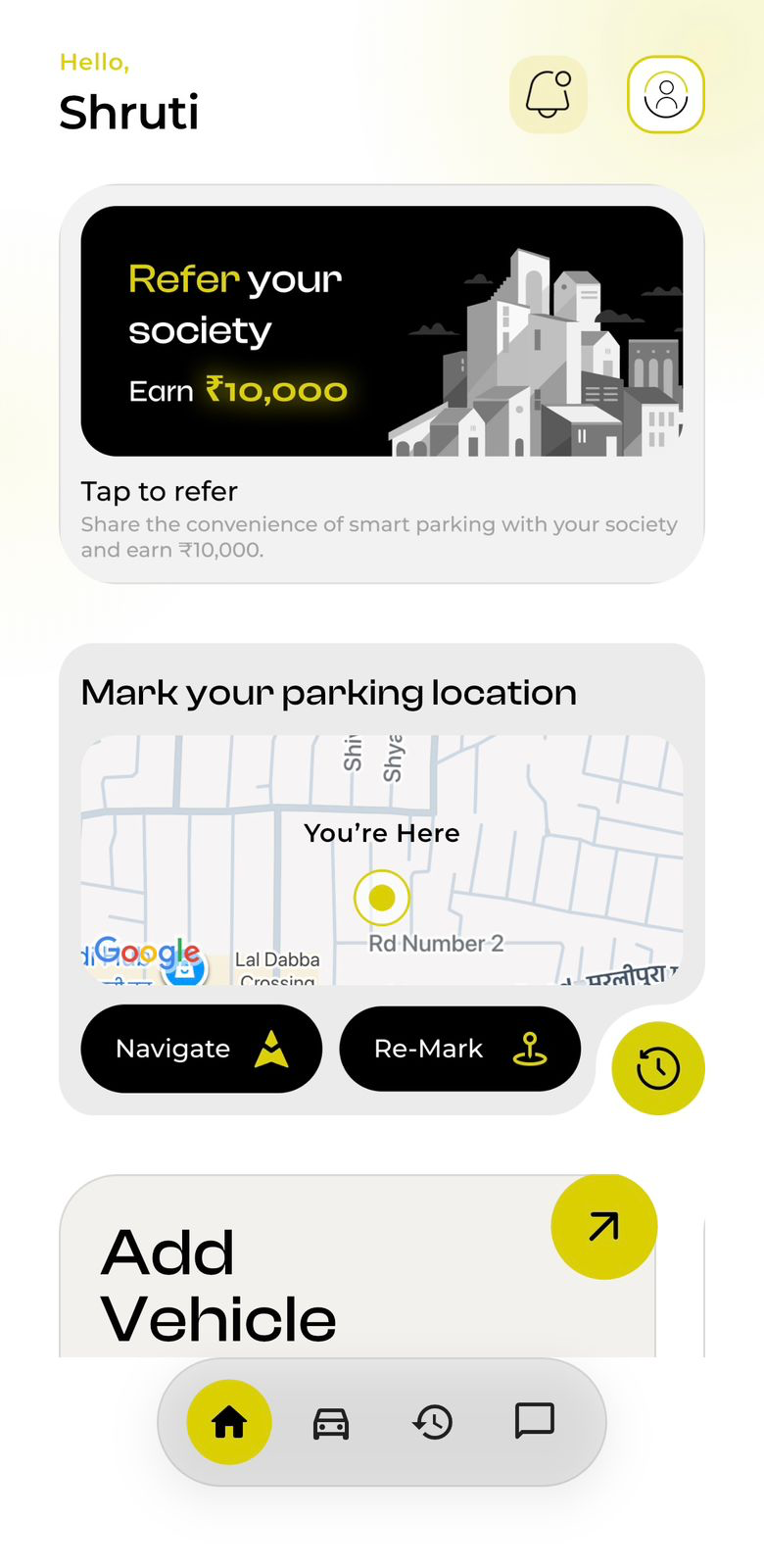
Go to your user profile
Open the ParkTek app and tap the profile icon from the home screen.
Privacy Policy
This policy explains how ParkTek collects, uses, stores, and protects information across its application and related services.
ParkTek ("we", "our", or "us") respects your privacy and is committed to protecting your personal data. This Privacy Policy explains how we collect, use, store, and protect information when you use the ParkTek application or services.
We may collect the following types of information:
Personal Information:
Usage Information:
Device Information:
Location Information:
ParkTek does not collect or store any payment or financial information.
We use the collected information to:
We do not sell or rent personal data. Information may be shared only with:
We use reasonable technical and organizational measures to protect your data. However, no system can guarantee complete security.
Personal data is retained only for as long as necessary to provide services or meet legal requirements. Data is securely deleted or anonymized when no longer needed.
You may request to:
Requests can be made by contacting ParkTek support.
ParkTek may use cookies or similar technologies on its website to improve functionality and analytics. Cookie preferences can be managed through browser settings.
ParkTek does not knowingly collect data from children under 13 years of age.
This Privacy Policy may be updated periodically. Continued use of ParkTek after updates indicates acceptance of the revised policy.
For privacy-related questions or requests, contact:
You can permanently delete your ParkTek account directly from the app by following the steps below. Once confirmed, this action cannot be undone.
Step 1
Open the ParkTek app and tap the profile icon from the home screen.
Step 2
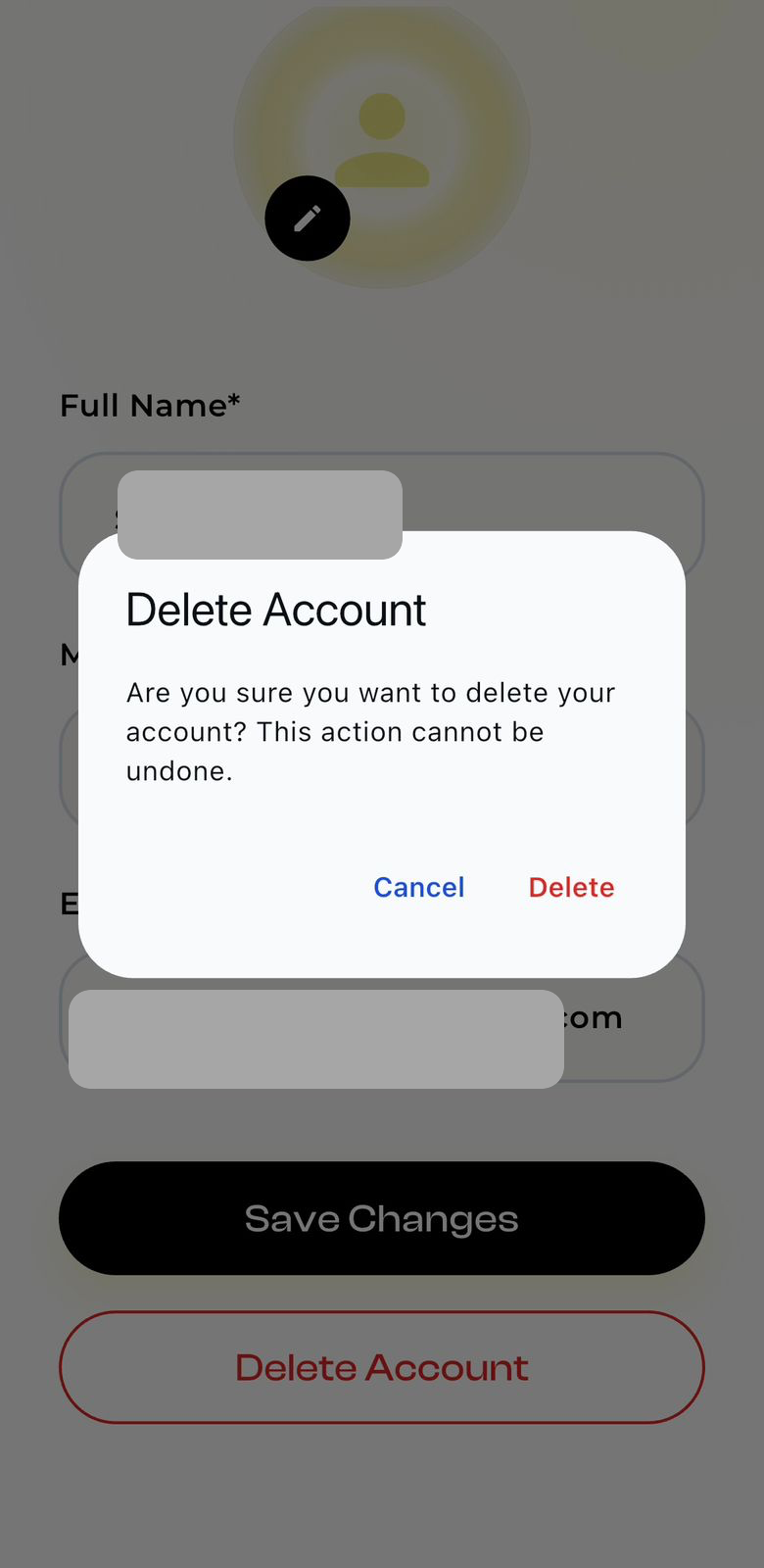
On the profile screen, tap the Delete Account button.
Step 3
A confirmation pop-up will appear. Tap "Delete" to proceed.
Step 4
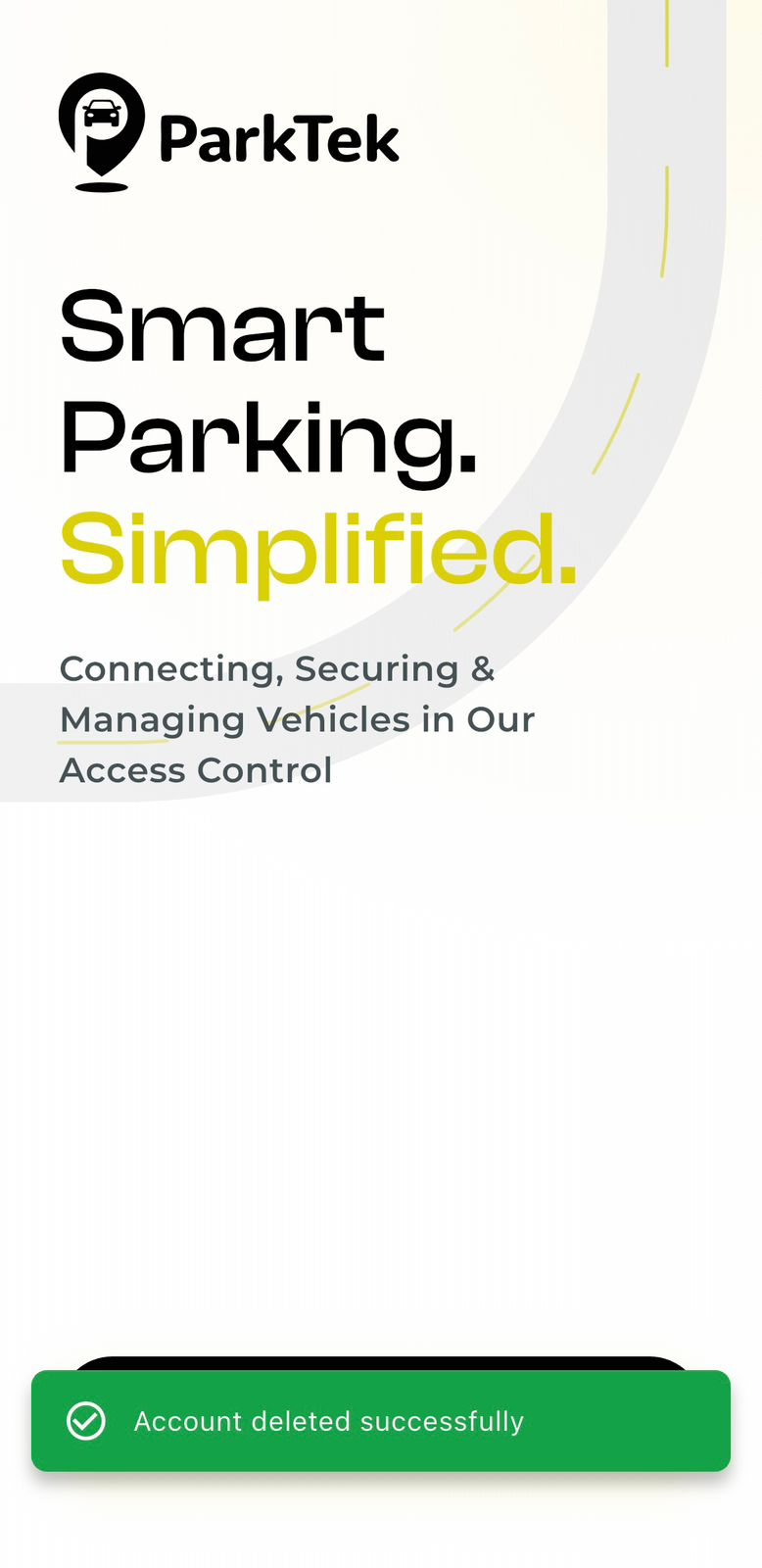
Once you confirm, your ParkTek account is completely deleted.
Tap the profile icon from the ParkTek home screen to open your user profile.
Tap "Delete Account" on the profile screen, then confirm the deletion in the pop-up. Personal information in this screenshot has been redacted.
A success message appears after the account deletion is completed.
If you are unable to access the app and still need help with account deletion, contact support@parktek.in.